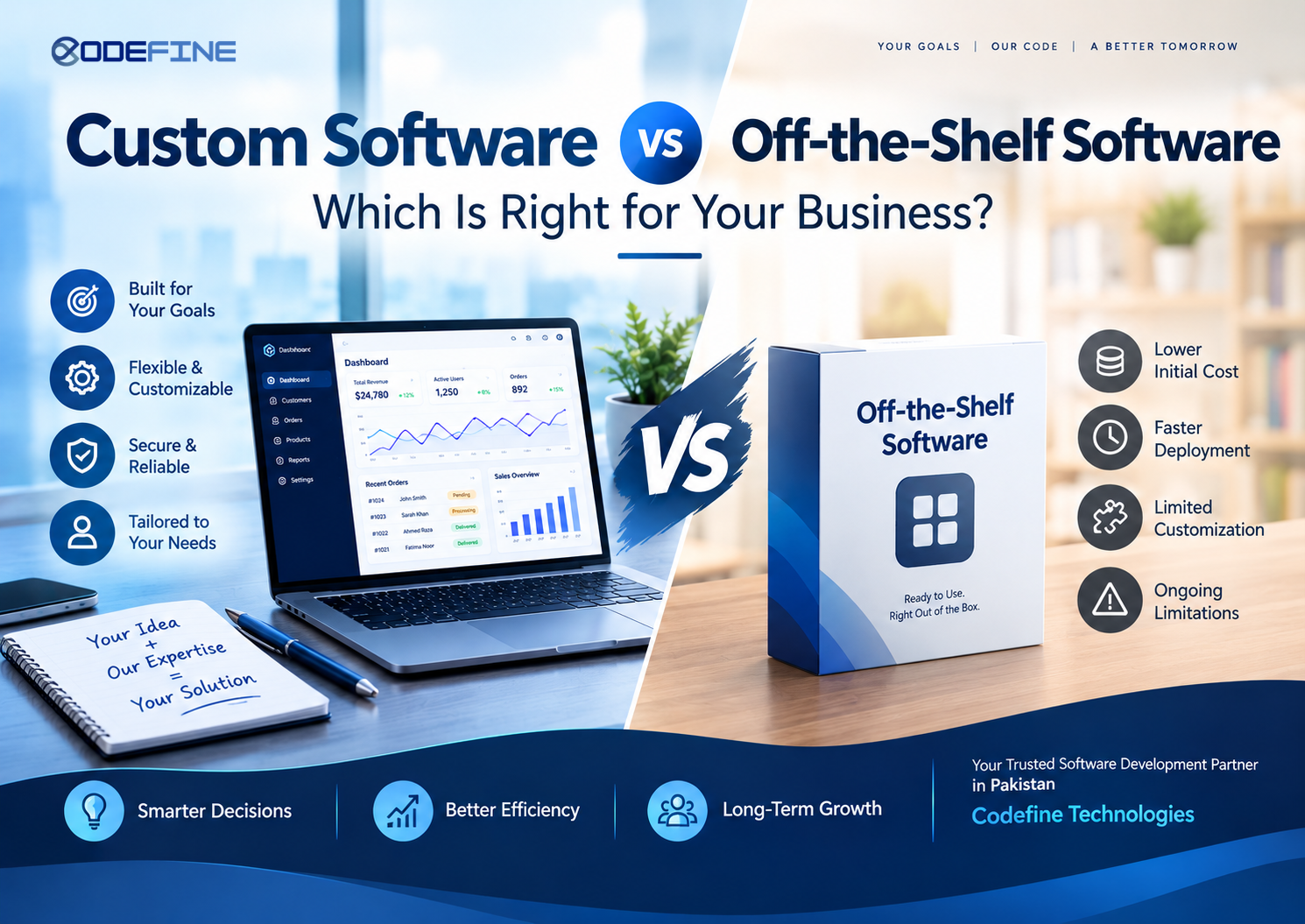
Custom Software vs Off-the-Shelf Software: Which Is Right for Your Business?
Every business reaches a point where managing operations with spreadsheets, separate applications, or manual processes becomes difficult. Customer information is scattered across different systems, employees spend too much time on repetitive tasks, and business owners struggle to get a clear picture of what is happening across their organization.
Software can solve many of these problems, but choosing the right software is not always straightforward.
Should you purchase an existing software product that is ready to use, or should you invest in a solution designed specifically for your business?
This is where the discussion around custom software vs off-the-shelf software becomes important.
Both options can help businesses improve efficiency, manage information, and serve customers. However, they differ in how they are developed, how much control you have over their features, how they handle your business processes, and how easily they can adapt as your requirements change.
For a business with straightforward requirements, ready-made software might be all that is needed. For a company with specific workflows, multiple departments, unique customer requirements, or plans to introduce a new digital product, custom software development may offer a more suitable long-term solution.
The important thing is not to choose the most expensive option or the one with the longest feature list. It is to choose software that solves your actual problems without creating unnecessary complications.
At Codefine Technologies, we believe that software should be built around the business using it. Our approach to personalized software solutions starts with understanding your requirements, identifying the problems you want to solve, and determining what kind of digital solution makes sense for your goals.
In this guide, we will explain the difference between custom software and off-the-shelf software, explore their advantages and limitations, compare their long-term costs, and help you decide which approach is right for your organization.
What Is Custom Software?
Custom software is a digital solution developed specifically for a business, organization, or product idea. Instead of purchasing a general-purpose application and adjusting your processes to fit its features, you develop software around your own requirements.
The goal is to create a system that reflects how your business operates, how your employees work, what your customers need, and where you want the business to go in the future.
Custom software can be a relatively small application designed to automate a particular task or a complete business platform that connects multiple departments.
For example, a retail business might need a point-of-sale system that manages inventory across several branches, tracks sales, handles returns, and produces reports for management. An existing POS application may cover most of these requirements, but the business might also need specific pricing rules, customized permissions, or a connection to an existing accounting system.
If the available products cannot support these requirements effectively, custom POS software may be a better fit.
Similarly, an entrepreneur who wants to launch a subscription-based digital product may need a SaaS platform with customer accounts, subscription management, payment processing, reporting, and administrative controls. Rather than trying to combine several unrelated tools, the entrepreneur can invest in a platform designed around the intended business model.
These are examples of personalized software solutions: software developed to address a particular set of business needs.
Common Examples of Custom Software
Custom software development can support almost every area of a business.
Custom web applications
A web application allows employees, customers, or business partners to access specific services through a browser. Examples include customer portals, booking platforms, internal dashboards, order management systems, and business reporting applications.
Custom CRM systems
Customer relationship management software helps businesses organize leads, customer information, sales activities, communication history, and follow-ups. A custom CRM can be designed around the company's actual sales process rather than forcing the sales team to follow a generic pipeline.
Custom ERP systems
Enterprise resource planning software connects business functions such as finance, inventory, procurement, human resources, and operations. A custom ERP system can bring these functions together according to an organization's internal processes.
Custom POS software
A point-of-sale system can manage transactions, stock levels, receipts, product information, branch operations, and sales reports. Custom POS development is particularly useful when a business has specific checkout procedures, hardware requirements, or inventory rules.
Custom ecommerce platforms
An ecommerce platform can be designed around a company's product catalogue, pricing structure, customer accounts, order fulfilment, payment methods, and inventory requirements.
Custom SaaS products
A software-as-a-service product allows customers to access software through an online platform, often through a subscription model. Custom SaaS development can include user management, subscription plans, billing, permissions, reporting, and customer-facing features.
Custom learning management systems
An LMS can help educational institutions, training providers, and businesses manage courses, lessons, assessments, student progress, and certificates.
Custom business management systems
Some businesses require a combination of functions that do not fit neatly into a single existing application. A personalized management system can bring project tracking, employee management, customer records, documentation, and reporting into one platform.
The defining characteristic of custom software is not its size or complexity. It is the fact that its functionality is designed around specific requirements.
What Is Off-the-Shelf Software?
Off-the-shelf software is a ready-made product developed for a broad audience. The same application is sold or provided to many businesses, usually with a standard set of features and configuration options.
These products are designed to solve common problems that occur across different organizations.
For example, many businesses need to manage invoices, organize projects, communicate with employees, maintain customer records, or publish content online. Software providers develop products for these purposes and make them available to customers without requiring each customer to commission a separate development project.
Depending on the product, businesses may purchase a licence, pay a monthly or annual subscription, or use a free plan with optional paid features.
Examples of off-the-shelf software include:
- Accounting applications for invoicing and financial records.
- Ready-made CRM platforms for managing customer relationships.
- Project management tools for organizing tasks and deadlines.
- Ecommerce platforms for selling products online.
- Email marketing tools for communicating with customers.
- Inventory applications for tracking products and stock.
- Human resource systems for managing employee information.
- Website builders for creating standard business websites.
One of the main reasons businesses choose off-the-shelf software is convenience. The product already exists, so the business does not need to commission an entirely new application before getting started.
A small company that needs basic invoicing may not need a custom accounting system. A team that wants to organize tasks and deadlines may be perfectly comfortable using an established project management application.
The software is already available, its common features have usually been tested across a broad user base, and documentation or customer support may be provided by the vendor.
However, ready-made software is generally designed around the needs of its intended market, not the exact requirements of every individual customer.
This distinction becomes important when a business needs specialized workflows, deeper integrations, unusual pricing rules, or greater control over how its software operates.
Custom Software vs Off-the-Shelf Software: The Main Difference
The central difference between custom software and off-the-shelf software is the relationship between the business and the application.
With off-the-shelf software, the business selects an existing product and adapts its processes to the features and limitations of that product.
With custom software, the development team studies the business requirements and builds the application around them.
Neither approach is automatically better in every situation.
A standard product can be an excellent choice when the business has common requirements and wants to get started quickly. Custom software becomes more attractive when the business needs greater control over its workflows, integrations, functionality, or future development.
Consider a company that manages customer enquiries, sales quotations, order approvals, and delivery schedules.
A ready-made CRM may handle customer records and sales follow-ups. A separate accounting application may manage invoices. Another tool may track deliveries.
This arrangement could work well, especially if the applications integrate properly.
However, employees might still need to enter the same information in multiple places, move data between systems, or follow manual procedures to complete an order.
A personalized software solution could bring these activities together into one connected process. A salesperson could create an enquiry, prepare a quotation, receive approval, and convert the quotation into an order without repeatedly entering the same information.
The value comes from solving a real operational problem, not simply from having software built from scratch.
When comparing custom software vs ready-made software, businesses should therefore look beyond the initial feature list. They should consider how well the software supports their everyday work and what it will take to maintain that fit over time.
1. Initial Cost: Which Option Is More Affordable?
Cost is often the first concern when businesses compare custom software development with ready-made applications.
Off-the-shelf software usually has a lower initial cost because the product has already been developed. Customers pay to access an existing system rather than funding the creation of an entirely new one.
Custom software requires a different investment. The development team must understand the requirements, plan the solution, design the user experience, develop the application, test its functionality, and prepare it for deployment.
The initial investment can therefore be higher.
However, comparing the two options only by their starting prices can produce a misleading result.
The Initial Cost of Off-the-Shelf Software
Ready-made software may offer several pricing options, including free plans, monthly subscriptions, annual subscriptions, and usage-based charges.
A small business might start with an affordable plan and upgrade as its needs increase.
This can be a sensible approach when the software meets the company's requirements without requiring significant customization or additional services.
The situation becomes more complicated when the business needs multiple applications to perform related tasks.
For example, a company might pay separately for customer management, accounting, inventory tracking, project management, and reporting. It may also need paid integrations or higher subscription tiers to connect these systems.
The combined cost can be considerably higher than the price of any individual application.
The Initial Cost of Custom Software
Custom software requires an upfront development budget, but that budget can be directed toward features the business actually needs.
Instead of paying for a large collection of unnecessary functions, the business can prioritize essential workflows and develop additional capabilities as required.
This is particularly useful when a company has a clear operational problem that existing software cannot solve effectively.
The cost depends on several factors, including:
- The number and complexity of required features.
- The number of user roles and permission levels.
- The amount of data that needs to be migrated.
- Integrations with existing applications and services.
- Reporting and automation requirements.
- Security and access-control requirements.
- The design and user experience.
- Testing, deployment, and ongoing maintenance.
A simple custom application may be relatively straightforward to develop, while a large enterprise platform can require substantial planning, development, and long-term investment.
Which Option Offers Better Value?
The better option depends on what you receive for your money.
If an existing application solves your problem reliably, paying for custom development may not be necessary.
However, if your business spends considerable time working around software limitations, maintaining separate systems, or manually transferring information, custom software may provide better value over time.
A useful starting point is to calculate the total cost of the solution rather than looking only at the initial price.
Consider subscriptions, implementation, integrations, training, staff time, maintenance, and the cost of changing systems later.
The goal is not to spend more on software. It is to invest in a solution that delivers sufficient value for the business.
2. Flexibility and Customization
Flexibility is one of the most important differences between custom software and off-the-shelf software.
Every business has its own way of working. Two companies in the same industry may have different approval processes, pricing policies, reporting requirements, and customer service procedures.
A standard application cannot always accommodate these differences.
Flexibility in Off-the-Shelf Software
Ready-made software generally provides a predefined set of features, settings, and customization options.
Some products are highly configurable. They may allow users to create custom fields, modify dashboards, set permissions, configure workflows, and connect external applications.
For many businesses, these options are sufficient.
However, configuration has limits.
A business may want to introduce a particular approval sequence, calculate prices using a specialized formula, or connect several internal processes in a specific way. If the product does not support these requirements, the company may need a workaround or a separate application.
In some cases, the vendor may offer a higher-priced plan that includes the required feature. In others, the functionality may not be available at all.
Flexibility in Custom Software
Custom software can be designed around the organization's actual processes.
If a business needs a specific workflow, the development team can plan the application to support it, provided the requirement is technically feasible and within the project's agreed scope.
For example, a car rental company might need a system that manages vehicle availability, customer bookings, identification verification, pickup and return records, payments, and vehicle condition reports.
A standard booking tool might support reservations but lack the company's preferred vehicle handover process.
A personalized car rental management system could connect these activities within a single workflow.
The same principle applies to manufacturing businesses, healthcare providers, educational institutions, ecommerce companies, and professional service firms.
The application can be designed around the way the organization actually operates.
Why Personalized Software Solutions Matter
The purpose of personalized software is not to customize every small detail simply because it is possible.
It is to make sure that important business requirements are supported without introducing unnecessary complexity.
At Codefine Technologies, personalized software solutions are approached from the perspective of the business problem first.
The process begins with understanding what the client wants to achieve, identifying the required functionality, and planning a solution that fits those needs.
This approach helps businesses avoid paying for features that offer little practical value while ensuring that essential workflows receive proper attention.
For organizations with specific requirements, this can be a significant advantage of custom software development.
3. Implementation Time: Which Software Can You Start Using Faster?
The time required to start using software can affect business operations, project deadlines, and the ability to respond to new opportunities.
In most cases, off-the-shelf software has an advantage because the application is already available.
Custom software requires development before it can be used in production.
However, implementation time depends on more than whether the application is ready-made or custom-built.
How Quickly Can You Implement Off-the-Shelf Software?
A standard application may be ready to use shortly after registration or installation.
The business may still need to configure settings, import data, assign user permissions, connect other tools, and train employees.
For straightforward requirements, these activities can be completed relatively quickly.
More complicated implementations may take longer, especially when the company has large amounts of existing data or needs to connect several applications.
Even so, ready-made software is often the more practical choice when the business needs an immediate solution to a common problem.
How Long Does Custom Software Development Take?
Custom software requires planning and development before launch.
The timeline depends on the size of the project, the number of features, the complexity of integrations, and how clearly the requirements are defined.
A focused application with a limited set of essential features may be developed much faster than a complete enterprise resource planning platform.
Businesses can also use a phased development approach.
Instead of waiting for every possible feature to be completed, the development team can prioritize the functions that provide the greatest immediate value.
This is often done by developing a minimum viable product, or MVP.
An MVP includes the essential functionality needed to test a product or solve an initial business problem. Additional features can be introduced after the business evaluates the first version.
For example, a startup planning to launch a SaaS product might begin with user registration, its core service, subscription management, and an administrative dashboard.
Advanced reporting, additional integrations, and other features could be added in later development phases.
This approach can help the business validate its idea without investing in every planned feature at the beginning.
Choosing Between Speed and Long-Term Fit
If you need a common business function immediately, off-the-shelf software may be the best starting point.
If your current processes are creating recurring problems that a standard application cannot solve, a carefully planned custom development project may be worth the additional time.
The important question is whether a quick implementation will solve the problem adequately or simply provide a temporary workaround.
4. Scalability: Will the Software Support Your Business as It Grows?
Business requirements rarely remain the same forever.
A company may begin with a small team, a limited customer base, and straightforward operations. Over time, it may expand into new markets, introduce additional services, open more branches, or hire more employees.
Software that works well at the beginning may become difficult to manage as these changes occur.
Scalability should therefore be considered when comparing custom software vs off-the-shelf software.
Scaling with Off-the-Shelf Software
Many established software products are designed to support businesses of different sizes.
Customers can often upgrade their plans, increase their user limits, purchase additional modules, or access more advanced features as their requirements grow.
This can make off-the-shelf software a practical option for businesses that want to expand without managing their own development project.
However, growth may introduce limitations.
A company may discover that a particular plan does not support the required number of users, advanced reporting, specific integrations, or more complex business processes.
The business might need to move to a more expensive plan or adopt additional products.
If the software cannot accommodate the company's evolving needs, migration to another platform may eventually become necessary.
Scaling with Custom Software
Custom software can be designed with future growth in mind.
The development team can consider expected user numbers, data volumes, security requirements, integrations, and new business functions during the planning process.
For example, an ecommerce company might initially operate a single online store but expect to expand into multiple regions.
Its custom platform could be planned to support additional currencies, shipping rules, payment methods, warehouse operations, and regional settings when those features become necessary.
Likewise, a business management system could begin with customer records, task tracking, and basic reporting before expanding to include inventory, finance, employee management, or other functions.
However, custom software is not automatically scalable simply because it has been developed specifically for a business.
Its ability to handle growth depends on architecture, implementation quality, infrastructure, database design, testing, and ongoing maintenance.
A poorly designed custom application can become just as restrictive as a poorly chosen ready-made product.
The advantage is that the business has greater influence over how the application is designed and how it evolves.
Planning for Growth Without Overbuilding
Businesses should avoid paying for complex functionality they may never use.
Instead, it is better to identify likely future requirements and make sensible design decisions that leave room for expansion.
At Codefine Technologies, the objective is to create software that addresses current requirements while taking the client's future plans into account.
This allows businesses to begin with practical functionality and expand the solution as their needs become clearer.
5. Software Ownership and Vendor Dependency
Ownership is another important consideration when deciding between custom software and an existing product.
The question is not simply who uses the software. It is who controls the application, its underlying code, its development roadmap, and the decisions that affect its future.
Ownership of Off-the-Shelf Software
When a business purchases or subscribes to ready-made software, it generally receives permission to use the product under the vendor's licensing terms.
The software provider controls the underlying application and decides how it is maintained, updated, priced, and developed.
This arrangement is not necessarily a disadvantage.
A reliable vendor may provide regular updates, security fixes, documentation, and customer support. The business does not have to manage the entire software development process itself.
However, it may have limited influence over future changes.
The provider could modify its pricing, discontinue a feature, change its product plans, or stop supporting an application.
The business may also face difficulties if it needs to export its data or migrate to another platform.
The exact risks depend on the product's contract, licensing terms, export capabilities, and available alternatives.
Ownership of Custom Software
Custom software offers greater opportunities for control, but ownership depends on the project agreement.
Businesses should establish clear terms covering intellectual property, source code, third-party components, documentation, deployment access, and ongoing support.
When the agreement provides for the transfer of the custom application's intellectual property and source code, the business can have substantially more control over the solution.
This can make it easier to maintain the application, introduce new features, change development providers, or adapt the system to changing requirements.
Codefine Technologies emphasizes full source code ownership for its custom software projects, subject to the agreed project terms and applicable third-party licensing requirements.
This approach helps clients retain control over the software created for their business rather than depending entirely on a proprietary application provider.
Why Source Code Ownership Matters
Consider a business that invests in a custom CRM system to manage its customer relationships and sales operations.
Over time, the business may want to introduce new reports, connect another service, improve its user interface, or change how sales approvals work.
Access to the source code and appropriate project documentation can give the business more options when planning these improvements.
Ownership does not eliminate every form of dependency. Businesses still need technical expertise, hosting, maintenance, and support where applicable.
However, a clear ownership agreement can reduce the risk of being unable to continue developing a system because of unnecessary restrictions imposed by a single provider.
For companies making a long-term investment in business software, this is worth discussing before development begins.
6. Integration with Existing Business Systems
Modern businesses rarely operate through a single application.
A company might use one platform for accounting, another for customer management, a separate ecommerce system, and additional tools for communication, inventory, or reporting.
When these applications cannot exchange information properly, employees may have to perform repetitive tasks manually.
This can lead to duplicated records, inconsistent information, delayed updates, and avoidable errors.
Integrating Off-the-Shelf Software
Many ready-made products provide integrations with popular applications.
Some offer APIs, webhooks, import and export tools, and connections to external automation services.
When the required integrations already exist and work reliably, off-the-shelf software can connect different parts of a business without requiring custom development.
However, integration becomes more difficult when the applications use incompatible data formats, lack the necessary features, or impose restrictions on access.
A company may need additional subscriptions, custom connectors, or specialist implementation work.
It is also important to understand whether the integration supports the required level of synchronization.
For example, exporting customer records once a week is not the same as synchronizing order and inventory information whenever a transaction occurs.
Integrating Custom Software
Custom software can be planned around the systems a business already uses.
The development team can assess available APIs, database structures, data formats, authentication methods, and business rules before deciding how information should move between applications.
For example, a business might need its ecommerce platform to send confirmed orders to an inventory system, update stock availability, and share financial information with its accounting application.
A custom integration can be designed to support this workflow, subject to the capabilities and access permissions of the connected systems.
The same principle applies to CRM, ERP, POS, SaaS, and business management solutions.
Why Integration Should Be Planned Early
Integrations are often treated as a technical detail that can be addressed near the end of a project.
In practice, they can have a significant effect on development costs, timelines, and operational reliability.
Businesses should identify their essential integrations during the requirements phase.
This makes it easier to determine whether an existing product can meet their needs or whether a personalized solution would offer a more practical approach.
7. Security and Data Protection
Security should be part of every software decision, regardless of whether the business chooses a ready-made application or custom software.
Both approaches can provide strong security, but the responsibilities and available controls may differ.
Security in Off-the-Shelf Software
Established software providers may have dedicated teams responsible for security updates, vulnerability management, infrastructure, and compliance-related features.
Customers can benefit from these efforts without maintaining the underlying application themselves.
However, the level of protection varies between providers and products.
Businesses should review the available security controls, data storage arrangements, authentication options, backup policies, audit logs, and relevant compliance documentation.
They should also consider who can access their information and what happens to the data if the subscription ends.
A widely used product is not automatically secure for every business. Its suitability depends on how it is configured, maintained, and used.
Security in Custom Software
Custom software can be designed around an organization's specific security requirements.
Depending on the project, this may include:
- Role-based access control.
- Multi-factor authentication.
- Secure password management.
- Encryption in transit and, where appropriate, at rest.
- Input validation and protection against common application vulnerabilities.
- Audit logs for important user actions.
- Backup and recovery procedures.
- Session management and access restrictions.
- Secure API authentication.
- Data retention and deletion policies.
For example, a business may want sales employees to access customer enquiries while restricting financial records to authorized staff.
A personalized management system can implement permissions that reflect these responsibilities.
However, custom development also creates responsibilities. The application must be designed securely, tested appropriately, updated when vulnerabilities are discovered, and maintained throughout its operational life.
Security cannot be guaranteed simply by building software from scratch.
Which Option Is More Secure?
Neither custom software nor off-the-shelf software is automatically more secure.
The better option depends on the quality of implementation, vendor practices, system configuration, ongoing maintenance, and the sensitivity of the information being handled.
A well-maintained commercial product may be safer than a poorly maintained custom application. A carefully designed custom solution may provide more suitable access controls and data handling for a business with specialized requirements.
The right decision begins with understanding the risks and responsibilities associated with the specific application.
8. Maintenance, Updates, and Long-Term Support
Software requires ongoing attention after launch.
Operating systems change, dependencies receive updates, security vulnerabilities are discovered, and businesses introduce new requirements.
The question is not whether maintenance will be necessary, but who will handle it and how much control the business will have over the process.
Maintenance for Off-the-Shelf Software
The software provider generally manages updates to the underlying product.
Depending on the subscription and service agreement, updates may include new features, bug fixes, security improvements, and performance enhancements.
This can significantly reduce the technical workload for the customer.
However, the business may have limited control over the timing of updates or the removal of existing features.
Changes made by the provider can also affect integrations, workflows, or employee training requirements.
If the product no longer meets the organization's needs, the business may have to consider another application.
Maintenance for Custom Software
With custom software, the maintenance arrangements depend on the project agreement and the responsibilities assigned to the development team or internal staff.
Ongoing work may include security updates, bug fixes, server monitoring, database maintenance, performance improvements, backups, and new functionality.
The business may choose to manage this work internally, retain the original development company, or work with another qualified provider if the project documentation and access arrangements support that transition.
Custom software therefore offers more control, but it also requires a clear maintenance plan.
The Importance of a Supportive Development Partner
A software project should not be treated as complete simply because the application has been launched.
Businesses may need assistance during deployment, employee onboarding, troubleshooting, and future improvements.
A supportive software development company helps clients understand the solution, communicates clearly about issues, and provides an agreed process for handling changes.
At Codefine Technologies, the intention is to establish a working relationship in which clients can discuss their requirements, understand development progress, and plan future improvements.
The precise scope of post-launch support should always be confirmed in the project agreement.
For businesses investing in personalized software solutions, choosing a development partner that takes communication and long-term support seriously can be just as important as choosing the right technology.
9. User Experience and Employee Productivity
Software is only useful when people can use it effectively.
An application may offer hundreds of features, but if employees struggle to find the functions they need, completing routine work can become unnecessarily difficult.
User experience is therefore an important part of the custom software vs off-the-shelf software comparison.
User Experience in Off-the-Shelf Software
Ready-made applications are usually designed to serve a broad audience.
This can be beneficial because their interfaces often follow familiar patterns and their documentation may help users learn the product.
However, the same general design may include functions that a particular business does not need.
Employees may have to navigate multiple screens, enter information in several places, or follow workflows that do not match their responsibilities.
Some products offer configurable dashboards and permissions, which can help improve the experience.
The important question is whether the available customization is sufficient for the people who will use the software every day.
User Experience in Custom Software
Custom software can be designed around the needs of specific users.
For example, an employee responsible for processing orders may need a dashboard that highlights pending orders, payment status, stock availability, and approval requirements.
A manager may need reports, performance indicators, and access to exceptions that require attention.
A customer may need a simple portal for checking order progress or submitting a request.
Instead of presenting every user with the same interface, a personalized application can provide different views and permissions according to their responsibilities.
This can make routine tasks easier to complete, although the actual results depend on thoughtful design, user testing, and implementation quality.
Better Software Should Simplify Work
The goal of software development should not be to reproduce existing paperwork on a computer screen.
It should be to improve the way work gets done.
A well-planned system can reduce duplicate data entry, clarify responsibilities, automate appropriate tasks, and make important information easier to access.
When businesses evaluate custom software development services, they should pay attention to usability and workflow design alongside technical functionality.
10. Reporting and Business Insights
Business owners and managers need reliable information to make decisions.
They may want to understand sales performance, monitor stock levels, evaluate employee workloads, identify delayed orders, or measure customer retention.
The challenge is that relevant information may be spread across several applications.
Reporting with Off-the-Shelf Software
Ready-made products often include standard dashboards and reports.
These may be sufficient for businesses that need common measurements, such as revenue, outstanding invoices, sales activity, or task completion.
Some products also allow customers to create custom reports or connect external analytics tools.
However, reporting may become difficult when the required information spans several systems or depends on business-specific calculations.
The company may need to export data, combine spreadsheets, or purchase additional reporting functionality.
Reporting with Custom Software
Custom software can be designed to present information according to the organization's management requirements.
For example, a multi-branch retailer may need a dashboard showing sales by location, product availability, returns, outstanding orders, and daily performance.
An educational organization might need to track enrolments, course completion, attendance, and assessment results.
A service business may want to monitor enquiries, quotations, conversions, project progress, and customer feedback.
A personalized reporting system can bring these measurements into a more relevant view, provided the required data is available and collected reliably.
Why Reporting Should Be Part of the Planning Process
Businesses should identify the decisions they want to make before deciding which reports to build.
This helps the development team determine what information needs to be captured, how it should be stored, and how it should be presented.
The result should be reporting that supports practical decisions rather than a dashboard filled with numbers that nobody uses.
11. Custom Software vs Off-the-Shelf Software for Startups
Startups often face a different set of challenges from established companies.
They may have a promising business idea but limited resources, an untested market, and uncertainty about which features customers will actually use.
For these businesses, the decision between custom development and ready-made software requires careful planning.
When Ready-Made Software Makes Sense for Startups
Off-the-shelf software can be useful when a startup needs standard business functions.
For example, a new consulting company might use existing tools for email, accounting, project management, and customer communication.
There may be little reason to develop these systems from scratch when established products already meet the requirements.
Using ready-made tools can also help founders avoid spending their early budget on internal systems that do not directly contribute to validating the business idea.
When Custom Software Makes Sense for Startups
The situation changes when the software itself is the product.
A founder planning to launch a subscription platform, booking service, specialized marketplace, or industry-specific management system may need functionality that existing applications cannot provide.
In that case, custom software development can help turn the idea into a working digital product.
The founder can define the essential features, determine how customers will interact with the platform, and establish the business rules that differentiate the product from alternatives.
The project does not necessarily need to include every planned feature from the beginning.
A focused MVP can help the startup test the core concept, collect feedback, and make informed decisions about future development.
Turning a Business Idea into a Digital Product
Many founders understand the problem they want to solve but are unsure how to translate their idea into a practical software solution.
They may know that they need a booking platform, a customer portal, a SaaS product, or a management system without knowing exactly how its features should work.
This is where a collaborative software development process can help.
Codefine Technologies works with businesses and founders to understand their ideas, organize their requirements, and explore how those ideas can be turned into practical digital products.
The objective is to create a solution that serves the intended business purpose rather than adding complexity before it is needed.
For startups, the right approach is usually to invest in the software that makes the business possible while using established tools for functions that do not require customization.
12. Custom Software vs Off-the-Shelf Software for Small Businesses
Small businesses often operate with limited staff and budgets.
Owners may handle sales, customer service, administration, finance, and daily operations themselves or rely on a small team to manage several responsibilities.
Software can help organize these activities, but the right choice depends on the company's current needs.
When Ready-Made Software Is Suitable for Small Businesses
A small business may benefit from off-the-shelf software when its requirements are straightforward.
For example, a company that needs basic invoicing, calendar scheduling, email marketing, or task management may find that an existing application provides everything necessary.
The lower initial investment and faster setup can make ready-made products attractive.
Small businesses should avoid commissioning custom software merely because they want something different from what competitors use.
If a standard product meets their requirements at a reasonable cost, using it may be the more sensible decision.
When Small Businesses Should Consider Custom Software
Custom software becomes worth evaluating when the business repeatedly encounters limitations that interfere with its operations.
Examples include:
- Managing orders through multiple spreadsheets.
- Entering the same customer information into different applications.
- Tracking inventory separately across several branches.
- Using manual approval processes for routine transactions.
- Struggling to produce accurate reports from disconnected systems.
- Paying for multiple products that still fail to support an important workflow.
- Needing a customer portal or booking process that existing tools cannot accommodate.
A personalized application can help bring these activities together.
For example, a growing distributor may need to manage customers, quotations, orders, inventory, deliveries, and payment records within one connected system.
A custom business management platform could be designed around that workflow, reducing the need for employees to move between unrelated tools.
The decision should be based on the actual operational problems, the expected benefits, and the resources available for development and maintenance.
13. Custom Software vs Off-the-Shelf Software for Enterprises
Large businesses often have more complicated operational requirements.
They may operate across multiple locations, employ different teams, manage large amounts of data, and rely on several interconnected applications.
In this environment, software selection can affect efficiency, reporting, governance, and the ability to coordinate work across departments.
Why Enterprises Choose Ready-Made Software
Established commercial platforms can provide extensive functionality for common business processes.
They may also offer enterprise support, administrative controls, integration options, and features designed for larger organizations.
Using a proven product can reduce the need to develop and maintain every business application internally.
However, enterprises should carefully evaluate whether the product supports their operational requirements, security expectations, and integration needs.
A standard application that works well for one department may not necessarily fit the entire organization.
Why Enterprises Consider Custom Software
Custom development can be useful when an organization needs to connect existing systems, automate specialized workflows, or build functionality that is not adequately supported by commercial products.
For example, a company might require a centralized management platform that connects procurement, inventory, finance, and reporting while retaining integrations with existing systems.
A custom solution can be designed around these requirements, although the project must account for migration, permissions, data quality, security, and long-term maintenance.
A Practical Approach for Larger Organizations
Enterprises do not always need to choose one approach exclusively.
They may use established accounting or communication products while developing custom applications for their specialized operations.
This hybrid approach can help the business retain proven tools where they work well and invest in custom development where it provides a meaningful advantage.
The best software strategy is the one that balances operational fit, cost, integration, and long-term flexibility.
14. Custom Software vs Off-the-Shelf Software for Different Industries
The right software approach also depends on the industry and the processes the business needs to manage.
Although many industries share common requirements, their daily operations can differ significantly.
Healthcare and Medical Services
Healthcare providers may need to manage appointments, patient records, consultations, billing, and internal workflows.
Ready-made healthcare software may provide suitable functionality for standard requirements.
However, a clinic with specific operational processes may need a personalized management system that supports its preferred appointment flow, staff responsibilities, reporting, and integrations.
Any healthcare solution must also account for applicable privacy, security, and regulatory requirements.
Retail and Ecommerce
Retail businesses often need to manage products, stock, pricing, orders, payments, returns, and customer information.
A standard ecommerce platform or POS application may be sufficient for a business with straightforward requirements.
A company with multiple branches, specialized inventory rules, custom pricing, or complex order fulfilment may benefit from custom ecommerce or POS development.
Education and Training
Educational institutions and training providers may need to manage courses, student registrations, assessments, attendance, and learning progress.
An existing learning management system may cover these functions adequately.
Organizations with specialized course structures, custom assessment procedures, or particular reporting requirements may consider a personalized LMS platform.
Real Estate
Real estate businesses often need to manage property listings, enquiries, client information, viewing appointments, sales pipelines, and follow-ups.
A standard CRM can handle many of these tasks.
A custom real estate management system may be useful when the business needs a specialized property workflow, client portal, or connection between listings, enquiries, and internal operations.
Automotive and Car Rental
Car rental and automotive businesses may need to manage vehicle availability, reservations, customer information, payments, maintenance, and handover records.
Ready-made booking software can be suitable for basic requirements.
A custom system may be a better fit when the business needs specific pricing rules, multi-location inventory, vehicle inspection procedures, or integrated booking and management workflows.
Manufacturing and Distribution
Manufacturers and distributors may need to manage procurement, inventory, production, suppliers, deliveries, and financial records.
Standard ERP products can offer broad functionality for these operations.
However, specialized production workflows, internal approval structures, or complex relationships between inventory and orders may require custom ERP development or carefully planned extensions to an existing platform.
Hospitality and Restaurants
Restaurants and hospitality businesses often need to manage reservations, orders, staff responsibilities, inventory, and customer service.
Standard restaurant POS systems may be sufficient for many establishments.
Businesses with unusual booking arrangements, specialized catering workflows, or multiple connected services may benefit from a personalized management system.
Across these industries, the same principle applies: choose ready-made software when it meets your requirements, and consider custom software when your business needs functionality that existing products cannot provide effectively.
15. The Hidden Costs of Off-the-Shelf Software
Off-the-shelf software can be affordable, particularly when the requirements are straightforward.
However, the subscription price is only one part of the overall cost.
Businesses should understand the additional expenses that may arise as their needs change.
Subscription Growth
A business may begin with a low-cost plan but require more users, additional storage, advanced reporting, or premium features as it grows.
The total subscription cost can increase over time.
Multiple Applications
Some businesses purchase separate tools for functions that could otherwise be connected within a single workflow.
Each application may have its own subscription, administration requirements, and integration limitations.
The combined cost should be evaluated rather than considering each purchase independently.
Integration Expenses
Connecting different applications may require paid integrations, third-party services, or custom development.
If the integrations are unreliable or incomplete, employees may still need to perform manual work.
Training and Workarounds
Employees may spend time learning complex workflows or adapting their processes to fit the application.
In some cases, the business develops spreadsheets or manual procedures to compensate for missing features.
These activities have a cost even if they do not appear on a software invoice.
Migration Costs
If the company eventually changes platforms, it may need to export data, clean existing records, map fields, migrate documents, test integrations, and train employees on the new system.
Migration can be relatively straightforward or highly complex, depending on the products involved.
How Businesses Should Evaluate These Costs
The solution is not to assume that every subscription is a bad investment.
A ready-made product may still provide excellent value when it reduces administrative work and meets the company's needs.
Instead, businesses should estimate the full cost of using the application over a reasonable period.
This makes it easier to compare the existing product with a custom solution based on the overall value each option provides.
16. The Hidden Costs of Custom Software Development
Custom software also has costs that businesses need to understand before beginning a project.
Although the application is designed around specific requirements, the initial development budget does not necessarily cover every future expense.
Requirements and Planning
The development team needs to understand the business processes, identify required features, and agree on how the application should behave.
If the requirements are unclear, the project may experience delays or changes that increase costs.
Testing and Quality Assurance
Software must be tested to identify defects, check important workflows, and confirm that the application behaves as expected.
Projects with complex integrations, sensitive data, or many user roles may require more extensive testing.
Hosting and Infrastructure
Web applications and SaaS platforms may require hosting, databases, storage, monitoring, backups, and other infrastructure services.
These costs depend on the architecture, usage, and hosting arrangement.
Maintenance and Improvements
After launch, the software may need updates, security fixes, performance improvements, and additional features.
The business should establish who will maintain the system and how this work will be funded.
Training and Adoption
Employees may need training before they can use the new application effectively.
A solution that changes existing processes may require additional time for onboarding and adjustment.
Managing the Overall Investment
Custom software should be planned as a long-term business asset rather than a one-time purchase with no future responsibilities.
A clear scope, realistic budget, defined milestones, appropriate testing, and an agreed maintenance arrangement can help businesses manage the investment more effectively.
At Codefine Technologies, the objective is to understand the client's requirements before recommending an approach. This helps establish a clearer project scope and reduces the risk of investing in functionality that does not serve the intended purpose.
17. Can You Combine Custom Software with Off-the-Shelf Software?
Yes. In many cases, combining both approaches is the most practical option.
Businesses do not necessarily need to replace every existing application when they invest in custom software.
They can continue using established products for standard functions while developing personalized applications for their specific needs.
For example, a company might use a commercial accounting application but develop a custom CRM that manages its particular sales process.
The CRM could connect to the accounting application so that customer and transaction information can be shared where the integration permits.
Similarly, an ecommerce business might use an established payment provider while developing a custom storefront and order management system.
A startup could use existing tools for email, accounting, and internal communication while investing in custom development for its core SaaS product.
This approach can offer several advantages.
It avoids unnecessary development. The business does not need to recreate functions that existing products already handle effectively.
It focuses investment on important requirements. Custom development can be reserved for the workflows and features that provide the greatest business value.
It supports gradual change. The business can introduce new functionality in phases rather than replacing every system at once.
It can reduce disruption. Existing applications can remain in use while selected processes are improved.
However, a hybrid approach still requires careful integration planning. Businesses should consider data consistency, access permissions, recurring costs, and the consequences of changes made by third-party providers.
The best solution is not always entirely custom or entirely off-the-shelf. It may be a combination designed around the organization's priorities.
18. Signs Your Business May Need Custom Software
Many companies begin with ready-made applications because they are accessible, familiar, and relatively easy to implement.
Over time, however, the business may develop requirements that its current tools cannot support adequately.
The following signs suggest that it may be worth evaluating custom software development.
Your Employees Repeat the Same Tasks
If employees regularly copy information between spreadsheets, customer records, orders, and accounting systems, the business may have opportunities to improve its workflows through integration or automation.
Your Current Software Does Not Match Your Processes
If employees constantly work around the limitations of an application, the software may no longer be suitable for the business.
Before replacing it, determine whether configuration or integration could solve the problem. If not, a personalized solution may be worth considering.
Your Business Uses Too Many Disconnected Tools
Multiple applications are not necessarily a problem.
However, if they create duplicate records, inconsistent reports, or delays between departments, a connected system may improve the flow of information.
You Need Specialized Business Rules
Some businesses have unique pricing structures, approval processes, inventory rules, or customer service procedures.
If these rules cannot be implemented reliably in existing software, custom development may offer greater flexibility.
You Want to Launch a Digital Product
If your business idea involves a new SaaS platform, booking application, marketplace, or industry-specific digital service, you may need custom software to deliver the intended customer experience.
You Need More Control Over Your Software
Businesses may want greater control over their application features, source code, data handling, and development priorities.
Custom software can provide more influence over these areas when the project agreement and technical arrangements support it.
Your Business Is Expanding
As a company grows, its original tools may become difficult to manage.
New branches, additional employees, more complex orders, and greater reporting requirements can expose limitations in existing applications.
Custom software may help address these issues if a suitable commercial solution is unavailable or does not offer sufficient flexibility.
Your Existing System Is Becoming Difficult to Maintain
In some cases, a business relies on outdated software that no longer supports its needs.
A technical review can help determine whether the existing application should be improved, integrated with other systems, replaced with a commercial product, or rebuilt as a personalized solution.
The important point is to identify the actual problem before deciding how to solve it.
19. When Should You Stick with Off-the-Shelf Software?
Custom software is not the right choice for every business.
There are situations in which an existing product is more practical, more affordable, and easier to maintain.
Your Requirements Are Standard
If you need common functions such as email, invoicing, task management, or basic customer tracking, a ready-made product may already provide everything you need.
You Need a Solution Immediately
When a business must begin using a system quickly, purchasing an existing application can be more practical than waiting for a development project.
Your Budget Is Limited
A subscription may allow a small business to access useful functionality without funding a full software development project.
This can be especially important when the business is still establishing its operations.
You Do Not Want to Manage Software Development
Custom applications require planning, testing, maintenance, and ongoing technical decisions.
If the business does not want these responsibilities and a suitable commercial product exists, an off-the-shelf application may be preferable.
The Vendor Already Meets Your Requirements
If an established product supports your workflows, integrations, security needs, and expected growth, there may be little benefit in developing an alternative.
The Software Is Not Central to Your Competitive Advantage
Businesses should prioritize their development budgets carefully.
If a function is common across the industry and a reliable product already handles it well, custom development may offer limited additional value.
The right decision may be to purchase the existing software and direct your resources toward the areas where your business needs greater flexibility.
20. How to Choose the Right Software for Your Business
If you are still deciding between custom software and off-the-shelf software, the following process can help you make a more informed choice.
Step 1: Identify the Problem You Want to Solve
Start by describing the business problem in practical terms.
Are employees spending too much time entering information? Are customer enquiries being missed? Is inventory difficult to track? Do you need to launch a new digital product?
Avoid beginning with a list of technologies or features before understanding the actual problem.
A clear problem statement makes it easier to evaluate potential solutions.
Step 2: Document Your Current Workflow
Write down how the relevant process works today.
Identify who performs each task, what information they need, which systems they use, and where delays or mistakes occur.
This helps reveal whether the issue comes from missing functionality, disconnected applications, unclear responsibilities, or an inefficient business process.
Step 3: Separate Essential Features from Optional Features
Not every requested feature needs to be included in the first version.
Identify the functions required for the solution to work and distinguish them from improvements that can be introduced later.
This is especially important for startups and businesses working with limited budgets.
Step 4: Evaluate Existing Software
Research products that are designed for your requirements.
Check their features, pricing, user limits, integrations, data export options, security controls, support arrangements, and licensing terms.
Whenever possible, test the product using realistic business scenarios rather than relying entirely on its marketing material.
Step 5: Identify the Remaining Gaps
Compare the available features with your documented requirements.
Some gaps may be solved through configuration or integration. Others may require expensive add-ons or manual workarounds.
Determine which gaps are acceptable and which would create serious operational problems.
Step 6: Estimate the Total Cost
Include more than the initial purchase or development cost.
Consider subscriptions, implementation, integrations, training, employee time, infrastructure, maintenance, and potential migration expenses.
For custom software, ask for a clear project scope and a realistic explanation of the ongoing costs.
Step 7: Consider Your Future Requirements
Think about where the business is likely to be in the next few years.
You do not need to predict every future feature, but you should understand the most likely changes in users, operations, products, and markets.
This will help you avoid selecting software that becomes unsuitable as soon as the business expands.
Step 8: Evaluate the Development Partner
If custom development appears to be the better option, evaluate the company you plan to work with.
Look for a team that understands your business requirements, explains technical decisions clearly, provides realistic timelines, and defines the project scope before development begins.
Ask about testing, documentation, source code ownership, deployment, maintenance, and post-launch support.
A reliable development partner should be willing to discuss the limitations and responsibilities of custom software, not simply promise that every problem can be solved by building a new application.
Step 9: Make the Decision Based on Business Value
After comparing the options, choose the solution that best meets your needs within your budget and operational constraints.
Do not select custom software simply because it offers more control, and do not select ready-made software solely because it appears cheaper at first.
The right decision should be supported by your requirements, expected costs, available alternatives, and long-term business plans.
21. Why Choosing the Right Software Development Company Matters
When custom software is the right choice, the development company becomes an important part of the investment.
A software project involves more than building screens and adding features. The team needs to understand the business, organize the requirements, plan the application, test important workflows, and prepare the solution for real-world use.
A poor fit between the business and the development team can lead to unclear requirements, repeated changes, missed expectations, and unnecessary expenses.
A suitable development partner should make the process easier to understand and manage.
Understanding the Business Before Development
A reliable software development company should begin by learning about the client's goals and challenges.
It should ask how the business currently operates, which problems need to be addressed, and what the finished solution is expected to achieve.
This helps prevent a common mistake: developing software that technically works but does not solve the problem the client originally wanted to address.
Clear Communication Throughout the Project
Clients should be able to understand what is being developed, what has been completed, and what decisions are required from them.
Clear communication also helps identify misunderstandings before they become expensive problems.
A collaborative team should explain important decisions in practical language and make sure the client understands the proposed direction.
Transparent Scope and Expectations
The project should have a clearly defined scope, including the main features, expected deliverables, milestones, and responsibilities.
If requirements change, the development team should explain how the changes may affect the timeline and budget.
This allows the client to make informed decisions throughout the process.
Quality Assurance and Testing
A professional development process should include testing of important workflows, access permissions, integrations, and error conditions.
The level of testing should reflect the project's complexity and risk.
The objective is to identify problems before the application becomes an essential part of daily business operations.
Long-Term Support and Collaboration
Business requirements can change after launch.
Clients may need assistance with deployment, updates, additional features, or operational issues.
A development company that communicates clearly and provides agreed support can help the business maintain continuity and plan future improvements.
These considerations matter when choosing any development partner, whether the project involves a custom website, web application, CRM, ERP, POS system, LMS, ecommerce platform, or SaaS product.
22. Why Businesses Consider Codefine Technologies for Personalized Software Solutions
Choosing a software development company is an important decision because the solution needs to reflect the business's requirements, budget, and long-term plans.
At Codefine Technologies, the focus is on personalized software solutions designed around real business needs.
Rather than assuming every company needs the same application, the team works to understand the problem first and identify an appropriate way to address it.
This approach is particularly relevant for businesses that need more than a standard template or a collection of disconnected tools.
Personalized Software Built Around Your Requirements
Every business has its own workflows, responsibilities, and priorities.
Codefine Technologies develops software around the requirements discussed with the client, helping businesses explore solutions that fit their operations rather than forcing them into a predefined structure.
Depending on the project, this can include custom business applications, management systems, SaaS products, CRM platforms, ERP solutions, POS systems, LMS platforms, and ecommerce applications.
Support for Businesses at Different Stages
A business does not need to have a complete technical specification before discussing a software idea.
Some clients already know exactly what they need. Others have identified a problem but need help deciding how to solve it.
Codefine Technologies works with startups, entrepreneurs, growing businesses, and established organizations to understand their requirements and explore practical development options.
For founders, this can mean turning an early concept into an MVP. For an established business, it may involve improving an existing workflow or developing a system that connects several departments.
A Collaborative Development Process
Software development should involve the client throughout the project.
Codefine Technologies' development approach includes understanding requirements, planning the solution, designing the user experience, developing and testing the application, and preparing it for launch and future improvements.
Clear communication helps clients understand the work being carried out and make decisions as the project progresses.
A Focus on Practical Business Outcomes
The purpose of custom software should be clear.
It may help a business reduce manual work, organize customer information, manage inventory, improve reporting, simplify order processing, or introduce a new digital service.
The solution should be planned around the outcomes the client wants to achieve rather than unnecessary technical complexity.
Source Code Ownership
For businesses investing in custom software, control over the resulting application can be an important consideration.
Codefine Technologies emphasizes full source code ownership under the agreed project terms, helping clients retain control over their custom-built software and plan its future development.
Project agreements should clarify intellectual property rights, third-party components, documentation, and any other relevant ownership conditions.
Support Beyond the Initial Build
Software often needs improvements after launch.
Businesses may introduce new services, expand their operations, or identify opportunities to improve the application based on user feedback.
Codefine Technologies aims to build lasting working relationships with clients, with an emphasis on communication, support, and future development.
The exact scope of post-launch assistance should be agreed upon for each project.
Serving Businesses in Pakistan and International Markets
Codefine Technologies provides software development services to businesses in Pakistan and international markets, including the USA and Saudi Arabia.
For organizations looking for a software development company in Pakistan, the important consideration is whether the team can understand their requirements, communicate effectively, and deliver a solution that fits their business goals.
Our aim is to help clients turn their ideas into practical digital products and build software that supports the way their businesses operate.
If you are comparing development companies, we encourage you to evaluate the proposed solution, the team's understanding of your requirements, the project scope, communication, and the support arrangements before making your decision.
Looking for personalized software solutions for your business? Visit the Codefine Technologies website to explore our services and discuss your requirements.
23. Custom Software Development Services Offered by Codefine Technologies
Different businesses require different types of software. Some need a customer-facing platform, while others need internal tools to manage operations, sales, inventory, or employees.
Codefine Technologies offers a range of development services that can support these requirements.
Personalized Software Solutions
Personalized software solutions are the core offering at Codefine Technologies.
These solutions are designed around specific business requirements, workflows, and goals.
Whether you need an internal management platform, a specialized business application, or a digital product based on a new idea, the first step is to understand what the solution needs to accomplish.
Explore Personalized Software Solutions.
Custom Web Application Development
Web applications help businesses deliver services, manage information, and support daily operations through a browser.
Depending on the requirements, a custom web application may include user accounts, administrative dashboards, reporting, workflow automation, and integrations with other business systems.
This service can be useful for organizations that need functionality beyond a standard informational website.
Explore Codefine Technologies' software development services.
SaaS Product Development
A SaaS platform allows customers to access software online, often through recurring subscriptions.
Businesses planning to launch a software product may need user registration, account management, subscription plans, billing, permissions, reporting, and administrative tools.
Custom SaaS development can bring these requirements together within a platform designed around the intended business model.
Explore SaaS development services.
Custom Website Development
A professional website can help a business present its services, establish credibility, attract relevant visitors, and generate enquiries.
When a business needs a specific design, custom functionality, content management, or integration with other systems, custom website development can provide greater control over the final experience.
Explore website development services.
Custom CRM Development
A CRM system helps businesses organize customer information, track enquiries, manage sales activities, and maintain communication records.
Custom CRM development can be useful when a company needs a sales pipeline or customer management process that differs from standard CRM workflows.
Explore CRM development services.
ERP and Business Management Systems
ERP and business management systems can connect different operational functions within a centralized platform.
Depending on the business, this may include inventory, finance, procurement, employee management, reporting, and operational workflows.
A personalized ERP solution can be planned around the organization's requirements and existing systems.
Explore business software services.
Custom POS Software Development
POS software can help businesses manage sales transactions, inventory, receipts, and operational reporting.
Retailers, restaurants, and multi-branch businesses may require specialized functionality that reflects their checkout procedures, pricing rules, stock management, and reporting needs.
Custom POS development can provide a solution tailored to those requirements.
Explore POS development services.
Custom LMS Development
A learning management system can support online courses, assessments, student progress, learning materials, and certificates.
Educational institutions and training providers may need a personalized LMS when their teaching methods, course structures, or reporting requirements differ from those supported by standard platforms.
Explore LMS and educational platform development.
Custom Ecommerce Development
Ecommerce software helps businesses manage online product listings, customer accounts, orders, payments, and inventory.
Custom ecommerce development may be useful when a business requires specialized checkout procedures, unique pricing rules, advanced integrations, or a shopping experience designed around its business model.
Explore ecommerce development services.
The appropriate service depends on your requirements. In some cases, a single application will be sufficient. In others, several connected components may be necessary to create a complete solution.
The starting point should always be the business problem you want to solve.
24. Frequently Asked Questions About Custom Software vs Off-the-Shelf Software
What is the difference between custom software and off-the-shelf software?
Custom software is developed around the specific requirements of a business, while off-the-shelf software is a ready-made product designed for a broad audience.
Custom software generally offers greater control over features and workflows but requires development and ongoing maintenance. Off-the-shelf software is usually quicker to implement and may have a lower initial cost, but its functionality and customization options depend on the provider.
Is custom software better than off-the-shelf software?
Not in every situation.
Off-the-shelf software may be better when your requirements are common and an existing application meets them effectively.
Custom software may be more suitable when your business has specialized workflows, complex integrations, unique functionality requirements, or plans to develop its own digital product.
The right choice depends on your business goals, budget, current processes, and future requirements.
Is custom software more expensive than ready-made software?
Custom software generally requires a higher initial investment because the application must be planned, developed, and tested.
Ready-made software often has a lower starting cost but may involve recurring subscriptions, additional modules, integration expenses, and future migration costs.
The overall cost depends on the application, its complexity, and how long the business expects to use it.
How long does custom software development take?
The timeline depends on the project's scope, complexity, integrations, testing requirements, and how clearly the requirements have been defined.
A smaller application may be completed much sooner than a comprehensive enterprise platform.
A phased development approach can also allow businesses to launch essential features first and introduce additional functionality later.
Can custom software grow with my business?
Yes, custom software can be designed to accommodate anticipated growth.
However, scalability depends on the quality of the application's architecture, implementation, infrastructure, and ongoing maintenance.
Businesses should discuss their expected growth, user numbers, data requirements, and future functionality during the planning stage.
Do I own the source code of custom software?
Source code ownership depends on the agreement between the client and the development company.
Businesses should confirm the terms for source code, intellectual property, documentation, third-party components, and deployment access before development begins.
Codefine Technologies emphasizes full source code ownership for its custom software projects under the agreed project terms.
Can custom software integrate with my existing applications?
Yes, custom software can often integrate with existing applications through APIs, webhooks, or other supported integration methods.
However, the available options depend on the connected systems, their access permissions, and their technical capabilities.
Integration requirements should be assessed before development begins.
Is custom software suitable for small businesses?
Yes. Custom software can be useful for small businesses that have specific operational requirements or recurring problems that existing applications cannot solve effectively.
However, a small business with straightforward needs may be better served by an affordable ready-made product.
The decision should be based on practical business value rather than company size alone.
Should a startup build custom software or use existing tools?
Startups should generally use existing tools for standard business functions when those tools meet their requirements.
Custom development becomes more important when the software is central to the startup's product or business model.
An MVP can help founders test their idea while limiting the initial scope and investment.
What are personalized software solutions?
Personalized software solutions are applications designed around a business's particular requirements, workflows, users, and objectives.
They may include custom web applications, SaaS products, CRM systems, ERP platforms, POS software, LMS platforms, ecommerce solutions, and other business management applications.
The goal is to create software that addresses specific business needs rather than relying entirely on generic functionality.
Why choose a software development company in Pakistan?
Businesses may consider a software development company in Pakistan because of its available technical expertise, service options, communication arrangements, and project budget.
However, location alone does not determine whether a company is the right choice.
Businesses should evaluate the development team's experience, understanding of requirements, communication, project process, code ownership terms, quality assurance, and support arrangements.
Why consider Codefine Technologies for custom software development?
Codefine Technologies focuses on personalized software solutions designed around business requirements.
Its services include custom software development, web applications, SaaS products, websites, CRM systems, ERP solutions, POS software, LMS platforms, and ecommerce applications.
The company emphasizes understanding the client's requirements, maintaining clear communication, and developing practical digital solutions that can support business operations and future growth.
How do I get started with Codefine Technologies?
You can begin by explaining your business, the problem you want to solve, and the features you believe you need.
The next step is to discuss your requirements, explore possible solutions, and establish a project scope.
Visit the Codefine Technologies website to explore the available services and discuss your software requirements.
Final Thoughts: Choose Software That Works for Your Business
The decision between custom software and off-the-shelf software should be based on what your business needs today and what it expects to achieve in the future.
Ready-made software can be an excellent choice when your requirements are straightforward, your budget is limited, or you need to start using a system quickly.
Custom software becomes worth considering when your business has specific workflows, complex integrations, specialized functionality requirements, or plans to develop a digital product of its own.
There is no benefit in building a custom application simply to avoid using an existing product. Equally, there is little value in continuing to use software that repeatedly creates operational problems because it does not support your business properly.
The right solution should make work easier, help people access the information they need, and support the way your organization operates.
That is why understanding your requirements should come before choosing a technology or committing to a development project.
At Codefine Technologies, our focus is on personalized software solutions that turn business ideas and requirements into practical digital products.
Whether you are a startup founder planning a new SaaS platform, a retailer looking for a customized POS system, a growing company that needs a CRM, or an established organization seeking a more suitable management system, the first step is to understand what you want the software to accomplish.
Our team works with clients to explore their requirements, plan appropriate solutions, and develop software that reflects their business goals.
As a software development company in Pakistan serving businesses locally and internationally, Codefine Technologies aims to build lasting client relationships through clear communication, a collaborative approach, and solutions designed around real business needs.
If your current software no longer supports the way your business works, or you have an idea that you want to turn into a digital product, it may be time to explore a more personalized approach.
Your business has its own goals, processes, and challenges. Your software should reflect them.
Ready to Discuss Your Software Requirements?
Talk to Codefine Technologies about your business idea, current operational challenges, or plans for a new digital product.
We can help you explore whether a ready-made application, a custom-built solution, or a combination of both makes the most sense for your requirements.
Visit Codefine Technologies to learn more about our personalized software solutions and software development services.